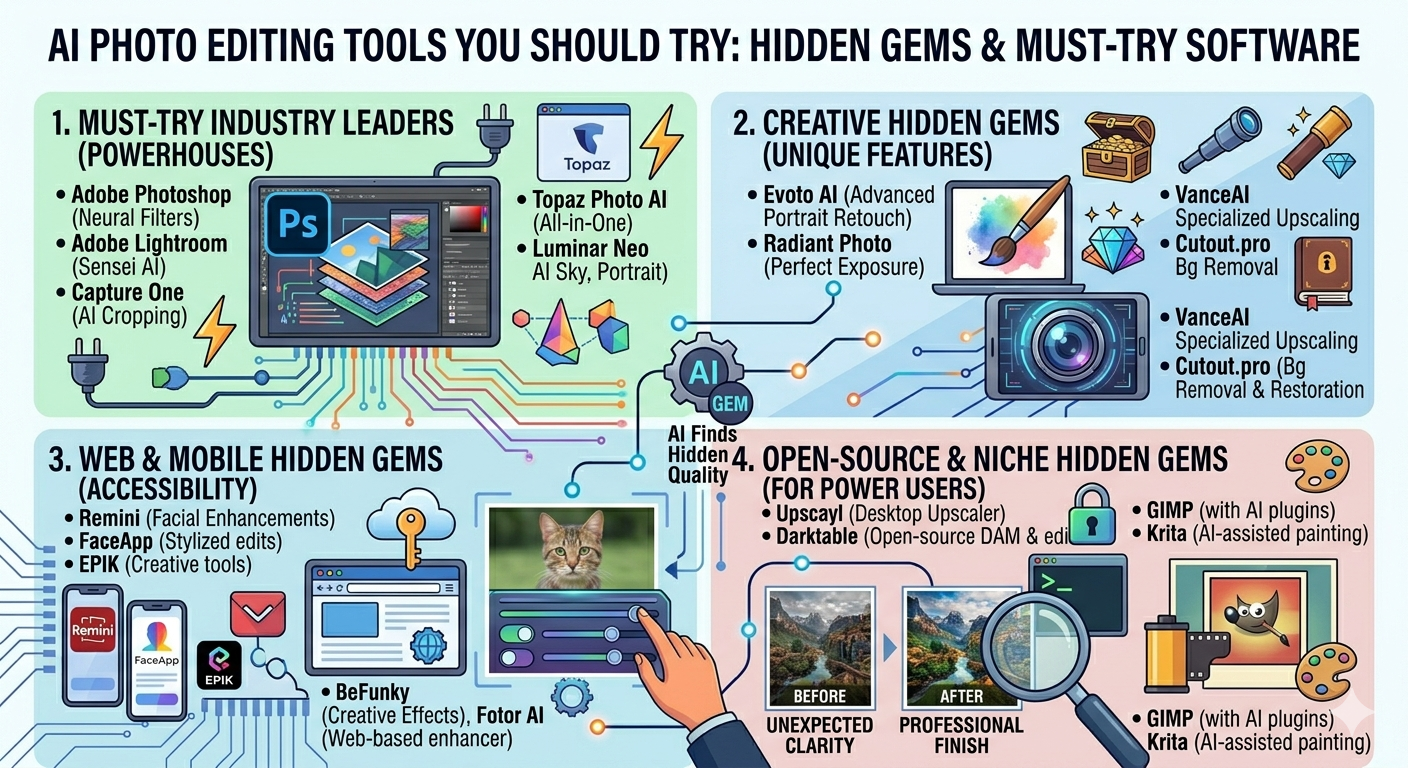
Ready to take your photo editing game to the next level? The world of AI photo editing tools is exploding with possibilities, and it can be tough to know where to start. So, I’ve curated a list of AI photo editing tools that are actually worth your time.
From automatically enhancing your images to magically removing unwanted objects, these tools will help you achieve professional-looking results faster than ever before. Let’s dive into the best AI photo tools the market has to offer.
| Standout AI Photo Editing Picks |
Before we explore the full list, here are three standout picks that deserve a special mention:
- Luminar Neo: For its AI-powered workflow that simplifies complex edits.
- Photoroom: The go-to solution for effortless background removal and product photography.
- Topaz Photo AI: Amazing at restoring old images and overall enhancing image quality.
| AI Photo Editing Tool Categories |
To make things easier, I’ve broken down the tools into the main categories of AI-powered photo editing. Let’s explore what each category can do for you:
- AI Enhancement and Upscaling: Improve image quality, resolution, and sharpness.
- AI Background Removal: Instantly remove backgrounds for product photos, portraits, and more.
- AI Portrait Retouching: Smooth skin, remove blemishes, and enhance facial features.
- AI Color Grading: Automatically adjust colors, tones, and moods for a professional look.
- AI Object Removal and Inpainting: Magically remove unwanted objects and fill in the gaps seamlessly.
- AI Filters and Creative Effects: Add artistic effects and unique styles to your photos with ease.
| The Ultimate List of AI Photo Editing Tools |
Here’s a comprehensive list of the best AI editing software available today, along with what makes them unique and why you should give them a shot:
Adobe Lightroom AI
Why you should try it: For seamless integration into your existing Adobe workflow.
- Category: AI Enhancement, Color Grading, Object Removal.
- Unique: Industry-standard software enhanced with AI.
- Key Features:
- AI-powered masking for precise edits.
- Content-Aware Remove for easy object removal.
- Automated color grading based on mood.
- Pricing: Included in Adobe Creative Cloud subscriptions (starting at $9.99/month).
- Try it if: You’re already an Adobe user and want to leverage AI in your workflow.
Luminar Neo
Why you should try it: For simplified yet powerful AI-driven editing.
- Category: AI Enhancement, Portrait Retouching, Background Removal.
- Unique: User-friendly interface with advanced AI features.
- Key Features:
- AI Sky Replacement for stunning landscapes.
- Portrait AI for natural-looking retouching.
- Remove Powerlines, dust spots in a single click.
- Pricing: One-time purchase or subscription options (starting around $79).
- Try it if: You want powerful AI tools without a steep learning curve.
Canva AI
Why you should try it: For quick and easy social media graphics and marketing materials.
- Category: AI Enhancement, Background Removal, Creative Effects.
- Unique: Integrates AI into a user-friendly graphic design platform.
- Key Features:
- Magic Eraser for object removal.
- Background Remover with one click.
- AI-powered design suggestions.
- Pricing: Free tier available, paid plans starting at $12.99/month.
- Try it if: You need to create engaging visuals for social media and marketing.
Photoroom
Why you should try it: For creating professional product photos with minimal effort.
- Category: AI Background Removal, Enhancement.
- Unique: Specialized in background removal and product photography.
- Key Features:
- Instant background removal with high accuracy.
- AI-powered background generation.
- Templates optimized for e-commerce.
- Pricing: Free tier available, paid plans starting around $14.99/month.
- Try it if: You run an online store and need clean, professional product images.
Clipdrop
Why you should try it: For a collection of specialized AI tools in one place.
- Category: AI Background Removal, Object Removal, Upscaling.
- Unique: Offers a range of AI-powered tools for various tasks.
- Key Features:
- Uncrop to expand images beyond their original borders.
- Cleanup to remove unwanted objects.
- Relight for studio-quality lighting.
- Pricing: Free tier available, paid plans starting at $9.99/month.
- Try it if: You need a versatile set of AI tools for various editing tasks.
Topaz Photo AI
Why you should try it: For noise reduction and automatic restoration of old pictures.
- Category: AI Enhancement, Upscaling.
- Unique: Exceptional AI-powered noise reduction and sharpening.
- Key Features:
- Automatically sharpens blurry images.
- AI upscaling that adds detail without artifacts.
- Restores old and damaged photos.
- Pricing: One-time purchase (around $199).
- Try it if: You need to rescue blurry or noisy images, or want to upscale photos for printing.
Picsart AI
Why you should try it: For powerful AI features on your phone.
- Category: AI Enhancement, Creative Effects, Background Removal.
- Unique: Comprehensive mobile photo editing app with AI integration.
- Key Features:
- AI-powered filters and effects.
- Object removal and background replacement.
- AI sticker generator.
- Pricing: Free tier available, paid plans starting at $7/month.
- Try it if: You want AI-powered editing on the go, right from your smartphone.
Pixlr AI
Why you should try it: For a browser-based alternative to Photoshop.
- Category: AI Enhancement, Background Removal, Creative Effects.
- Unique: A full-featured photo editor that runs in your web browser.
- Key Features:
- AI Cutout for easy background removal.
- AI Generate Image to create unique visuals from prompts.
- A wide range of filters and effects.
- Pricing: Free tier available, paid plans starting at $4.90/month.
- Try it if: You need a powerful photo editor that works on any device with a browser.
Fotor AI
Why you should try it: For an all-in-one online photo editor with AI enhancements.
- Category: AI Enhancement, Portrait Retouching, Creative Effects.
- Unique: Combines AI tools with a user-friendly interface.
- Key Features:
- AI photo enhancer for quick improvements.
- AI portrait retouching tools.
- One-Tap Enhance.
- Pricing: Free tier available, paid plans starting at $8.99/month.
- Try it if: You need a versatile online photo editor with AI-powered features.
Nero AI
Why you should try it: For simple and fast AI enhancements with an emphasis on upscaling and color correction.
- Category: AI Enhancement, Upscaling, Color Grading.
- Unique: Focuses on AI-powered upscaling and image enhancement.
- Key Features:
- AI image upscaler for enhancing resolution.
- Automatic color correction.
- Fast and easy-to-use interface.
- Pricing: Subscription required, around $19.99/year.
- Try it if: You want a dedicated tool for upscaling and enhancing your photos.
| Discovery Picks: Underrated AI Gems |
Here are a few lesser-known AI photo editing tools that are worth checking out:
- ** VanceAI:** Online Image Enhancer that automatically enhances, denoises and sharpens images.
- Icons8 Upscaler: A simple and free tool to upscale images online.
- Let’s Enhance: Improves your photos’ resolution and quality automatically.
| AI Tools by Skill Level |
Not all tools are created equal. Here’s a breakdown of the best AI photo editing software based on your skill level:
- Beginners: Canva AI, Photoroom, Picsart AI
- Intermediate: Luminar Neo, Fotor AI, Pixlr AI
- Advanced: Adobe Lightroom AI, Topaz Photo AI, Clipdrop, Nero AI
| Frequently Asked Questions |
Here are some common questions about using AI in photo editing:
Q: What are the benefits of using AI photo editing tools?
A: AI tools automate complex tasks, save time, and help you achieve professional results faster.
Q: Are AI photo editing tools suitable for professional photographers?
A: Yes, many professionals use AI tools to enhance their workflow and improve image quality.
Q: Can AI replace traditional photo editing techniques?
A: AI complements traditional techniques by automating repetitive tasks, allowing you to focus on creative aspects.
Q: Are there any ethical concerns with using AI in photo editing?
A: Yes, it’s important to be transparent about using AI and avoid misleading manipulations of images.
| Final Recommendations |
So, which AI photo editing tools should you try first? Here are my top three picks based on specific use cases:
- For social media content creators: Canva AI for quick and engaging visuals.
- For product photographers: Photoroom for effortless background removal.
- For restoring old photos: Topaz Photo AI for magical noise reduction and enhancement.
Happy editing!